The Touch Interface Paradigm; Reimagining Tablets
Introduction
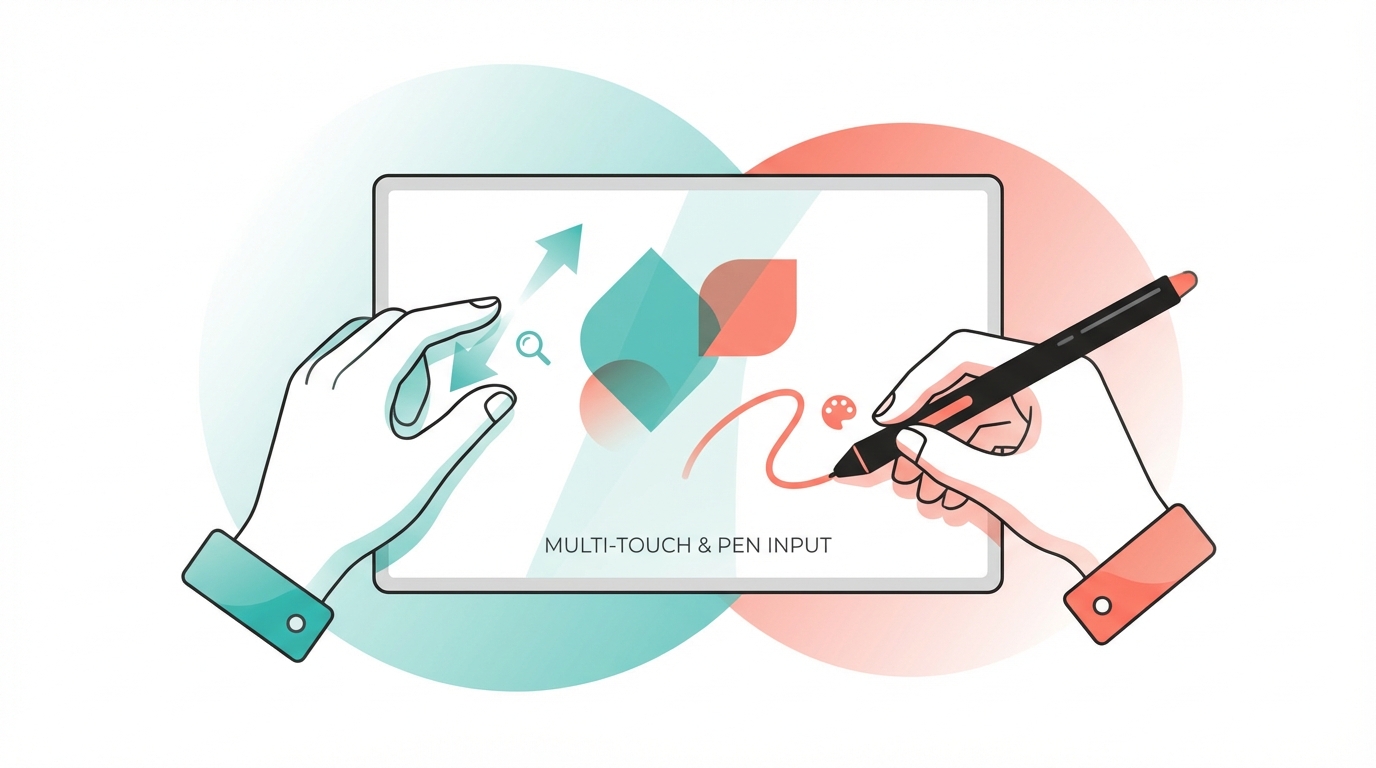
Tablets introduced two new types of interface that we didn’t have before, fundamentally changing how we interact with digital devices. The iPad dominates the market (~38% global share in 2024) [1], but Android tablets from Samsung and Lenovo, Microsoft’s Surface line, and even Linux tablets like the Minisforum V3 all share the same potential. Touch is the paradigm; the hardware is just the vessel.
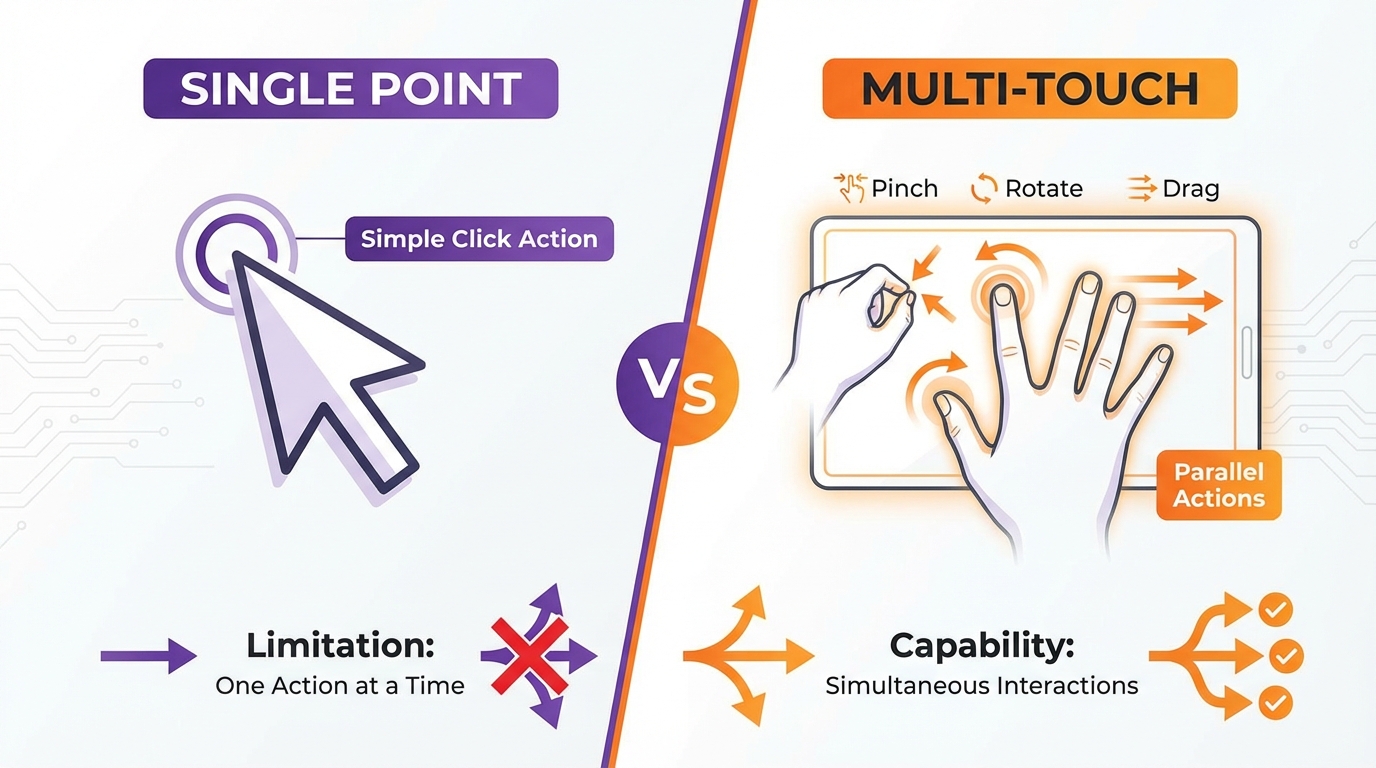
The first is multi-touch. Tap, drag, pinch, rotate: multiple fingers working in parallel. The result is direct manipulation: you’re not pointing at something and clicking; you’re grabbing it.
The second is the pen. Styluses like the Apple Pencil, Surface Pen, or S-Pen transfer everything you’ve learned writing in the physical world to the digital one. Drawing, handwriting, sketching: the barrier between paper and screen disappears.
These are the two major changes tablets bring to human-computer interaction.
And yet, here we are (over a decade later) and touch hasn’t triggered the full reimagining of computing it promised. Instead, we’ve mostly copied the desktop paradigm onto tablets and sprinkled touch on top. Windows, folders, menus, buttons… the same mental models from the mouse-and-keyboard era, just with finger taps instead of clicks. The truly transformative apps (the ones that rethink interaction from the ground up) are notable exceptions, successful experiments floating in a sea of ported desktop software. They prove what’s possible, but they haven’t changed the paradigm. Not yet.
When Touch Actually Excels
Before diving into the apps, it’s worth asking: when is touch genuinely better, not just different?
Touch wins when expression matters more than precision. Drawing a quick sketch, roughing out a layout, brainstorming on a whiteboard: touch captures the gesture of what you mean, not just the coordinates. The speed of a swipe carries meaning that clicks cannot. And when you do need precision, zoom compensates. Pinch to get closer, work at detail level, pinch out to see the whole. The “fat finger problem” is solved for anyone willing to design around it.
Touch wins when you need multiple simultaneous inputs. Pinching while rotating while dragging. Try that with a mouse. Multi-touch enables interactions that are impossible with single-pointer devices.
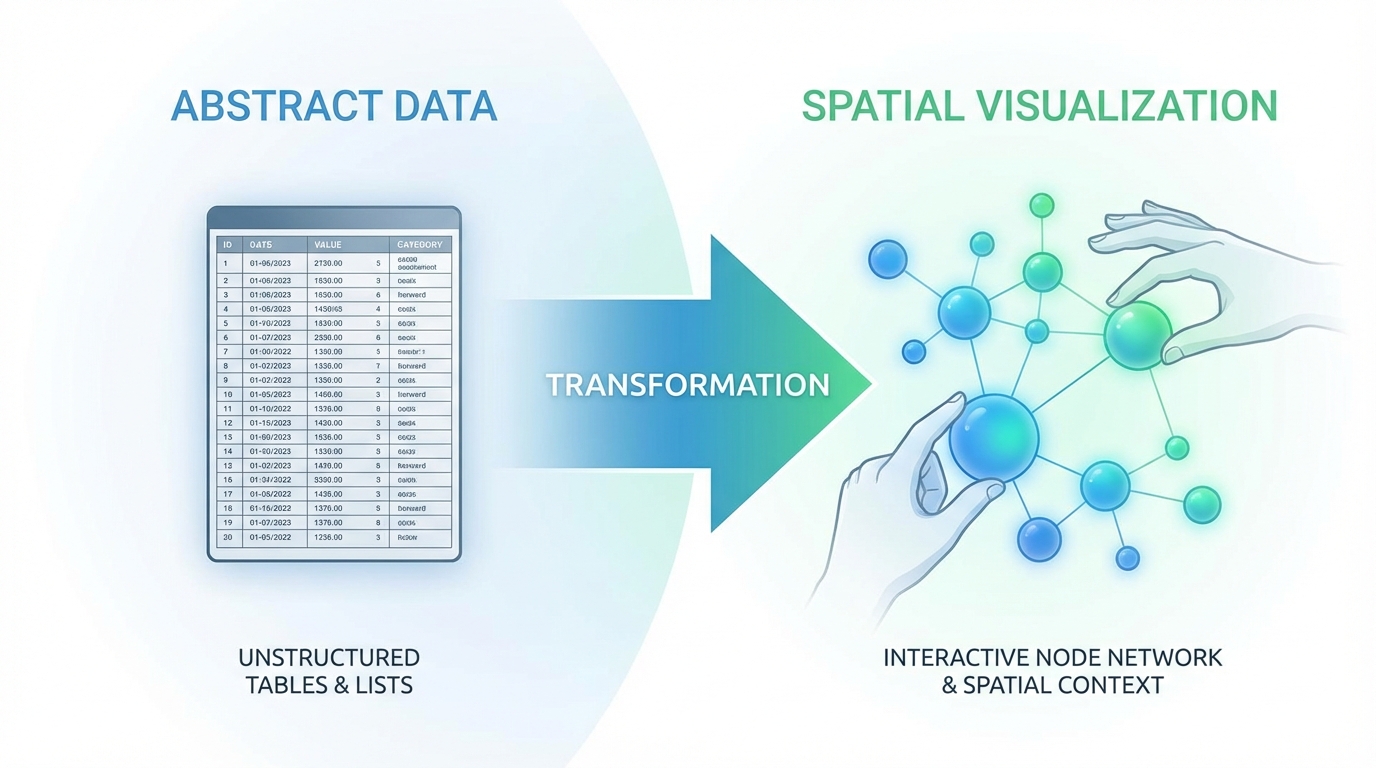
But here’s the deeper insight: many more tasks than we assume can be made spatial through visualization. Data is abstract, but its representation doesn’t have to be. A database is rows and columns, until you visualize it as a graph you can pinch and rearrange. A musical composition is a timeline, until you see it as blocks you can drag and stretch. The key is that editing the visualization edits the data underneath.
This isn’t speculation: the most successful touch apps already prove it. 3D sculpting is fundamentally mathematical: vertex positions, polygon meshes, transformation matrices. But Nomad Sculpt visualizes that math as clay you push with your fingers. CAD is parametric constraints and geometric relationships (abstract engineering), but Shapr3D makes it direct manipulation of shapes. Even programming, perhaps the most abstract task, has been spatialized: node-based tools like TouchDesigner and Unreal Blueprints turn code into visual graphs you can wire together by dragging.
Touch becomes powerful not just for “inherently spatial tasks” but for any task where the data can be visualized spatially, and with creative design, that’s far more than we’ve explored.
Touch seems to lose in some contexts, but that’s often a failure of visualization, not a limitation of touch. Text-heavy work, spreadsheets, code editing: these feel awkward because their interfaces were designed for mouse and keyboard. Reimagine them with spatial visualization and touch-native interaction, and the limitations dissolve.
The apps that have succeeded understood this.
Applications Where Touch Has Brought Real Innovation
There are categories of applications where these new forms of interaction have been transformative:
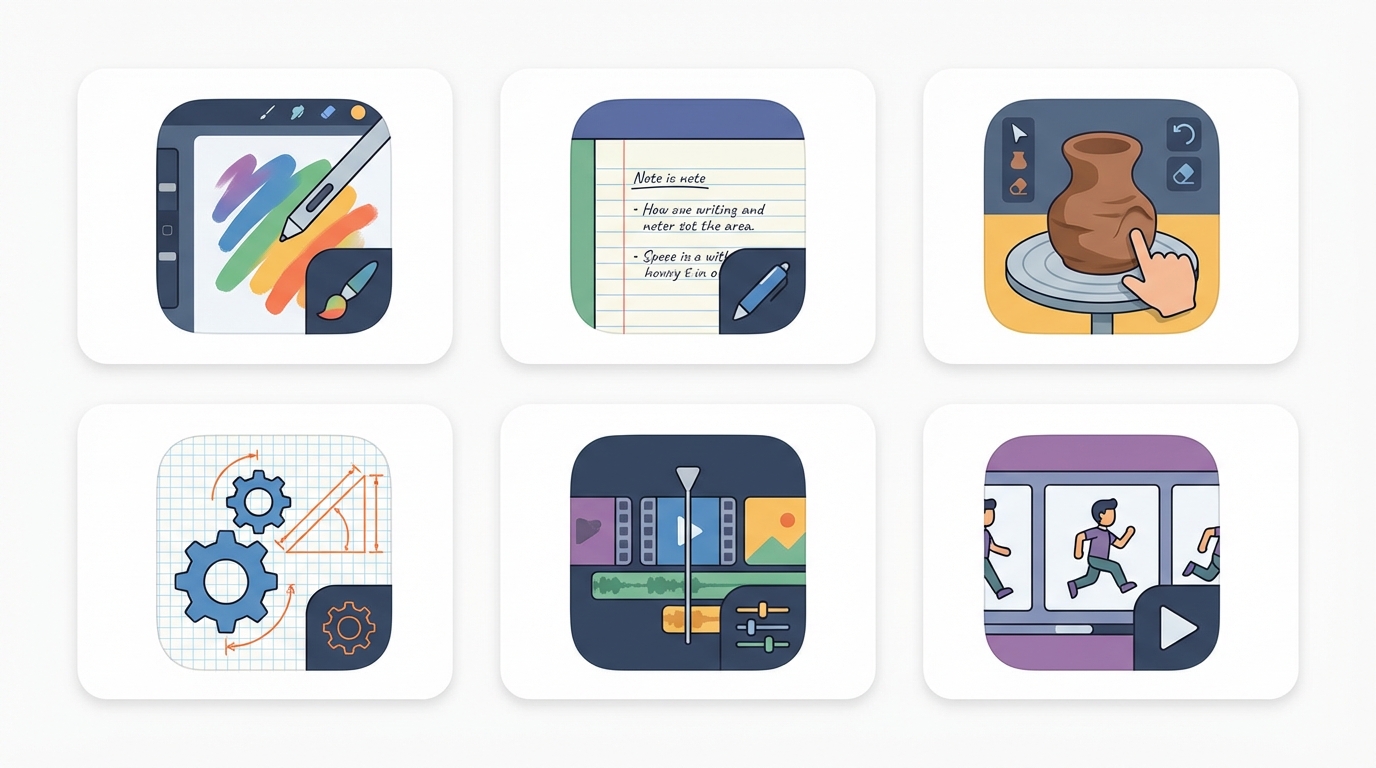
- Drawing: Procreate
- Note taking: GoodNotes
- 3D Sculpting: Nomad Sculpt
- CAD: Shapr3D
- Video editing: LumaFusion
- Animation: Procreate Dreams
What do these apps have in common? They didn’t port a desktop interface to touch. They started from scratch, asking “what would this task feel like if touch were the primary input?” Procreate doesn’t give you Photoshop’s menu hierarchy; it gives you gestures. Nomad Sculpt doesn’t simulate a mouse clicking on vertices; it lets you push and pull clay with your fingers. Shapr3D threw out decades of CAD UI conventions and rebuilt for direct manipulation. These apps succeeded because they respected touch as a first-class interaction model, not an afterthought.
Why Hasn’t There Been More Innovation?
The Lessons from Past Failures
Before explaining what’s changed, it’s worth acknowledging: touch has failed before.
Windows 8 was a cautionary tale. Microsoft bet big on touch, redesigning their entire OS around tiles and gestures. The result alienated both desktop users (who lost familiar interfaces) and tablet users (who got a half-baked touch experience). The lesson wasn’t that touch was wrong; it was that forcing touch onto contexts where it didn’t belong, while neglecting to make it truly great where it could shine, pleased no one.
Countless touch apps have launched and died. Remember Paper by FiftyThree? Stunning design, genuine innovation, acquired and eventually sunset. Or the wave of “gesture-based” productivity apps in the early 2010s that tried to replace buttons with swipes? Most are gone. The pattern: beautiful demos, poor retention. Users tried them, found the learning curve too steep or the novelty too shallow, and returned to familiar tools.
The failures share common traits: they prioritized novelty over utility, gestures over discoverability, touch purity over hybrid pragmatism. They tried to replace entire workflows instead of enhancing specific moments. They launched before the ecosystem was ready: before the hardware was fast enough, before the frameworks were mature, before users had developed touch fluency.
The successes we’ll examine learned from these failures. They didn’t try to make everything touch-native; they identified specific tasks where touch was dramatically better and focused relentlessly on those.
The Development Challenge
The reality is that developing applications that truly leverage these touch capabilities requires enormous effort. Reimagining entire interfaces, programming complex multi-finger interactions, integrating pen support… all of this has historically been very costly in terms of time and development resources.
But two recent shifts have changed this equation dramatically.
The Technical Barriers Have Collapsed
The web became capable. Plain HTML and JavaScript now natively support touch events (touchstart, touchmove, touchend) and libraries like Interact.js and Westures make complex multi-finger gestures accessible to any web developer. You can prototype a touch-first interaction in an afternoon.
When you need more power, WebAssembly lets you run near-native code in the browser. 3D sculpting, physics simulations, real-time video processing: operations that once required native apps now run in a browser tab. Flutter uses WebAssembly to deliver its entire UI framework on the web. Crucially, both iPad Safari and Android Chrome support this. You can ship a powerful touch app to a URL (no app store, no review process, no 30% commission).
Native development became accessible. SwiftUI replaced thousands of lines of UIKit boilerplate with declarative code. Cross-platform frameworks like Flutter and React Native now deliver touch interactions indistinguishable from fully native apps. Apple’s Mini Apps Partner Program (launched late 2025) legitimizes HTML5 mini-apps inside native hosts at a reduced 15% commission [6]. Swift 6.2 added WebAssembly support [7], letting native apps embed high-performance Wasm modules. The boundaries between web and native are blurring.
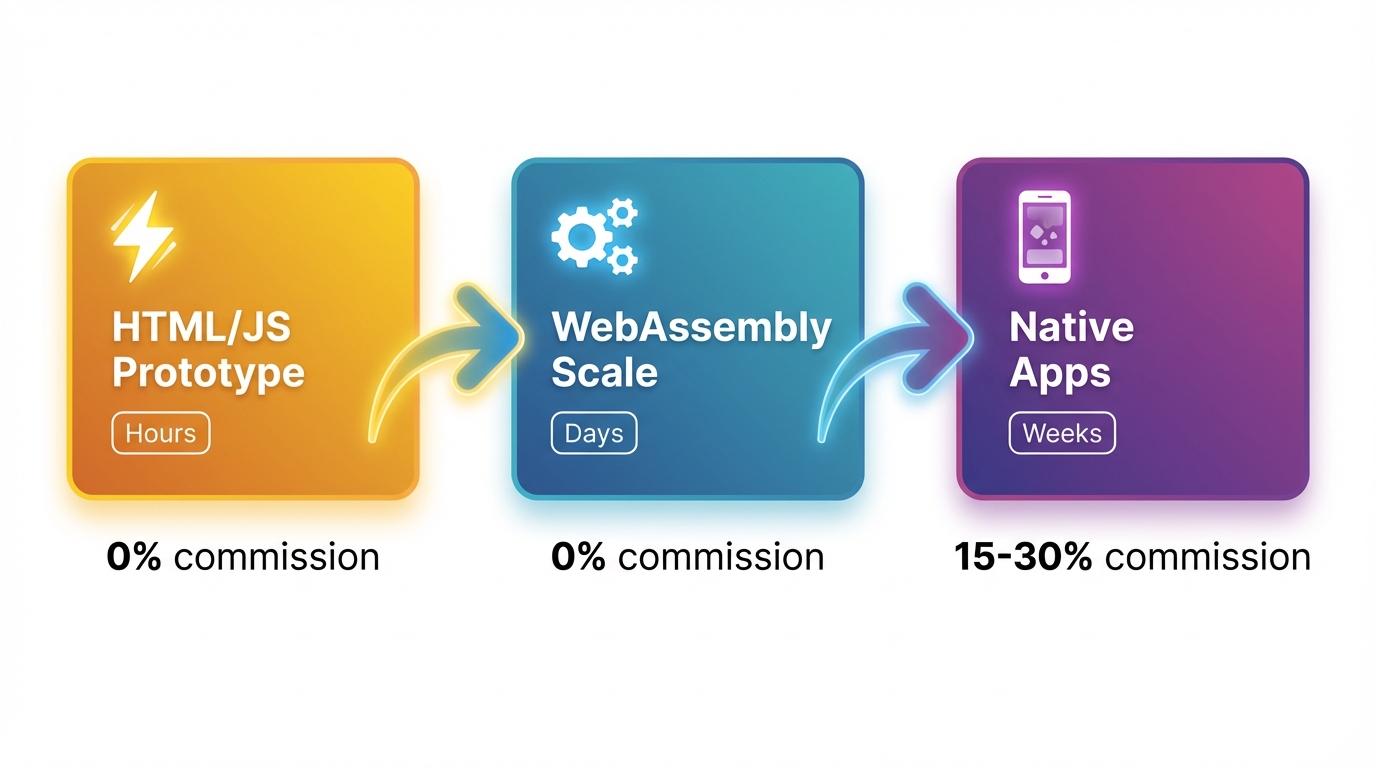
The spectrum is complete. You can now move from idea to prototype to production without hitting technical walls:
- Prototype in HTML/JS: validate fast, iterate in hours
- Scale with WebAssembly: near-native performance, zero gatekeepers
- Go native for depth: full hardware access, Apple Pencil pressure/tilt, haptics, ARKit
Each path has mature tools, active ecosystems, and real apps in production. The technical excuses are gone. (See the Appendix for specific frameworks and libraries.)
GenAI: The Democratization of Development
The second innovation is generative artificial intelligence. But here’s the nuance: AI won’t invent novel touch paradigms for us. Models are trained on existing code; they excel at reproducing and recombining patterns, not at imagining entirely new interaction models from scratch.
What AI does do is collapse the implementation barrier.
Previously, a designer might sketch a novel touch interaction (say, “draw a lasso to select, then pinch to group”), but translating that sketch into working code required weeks of specialized development. The gap between vision and implementation was vast. Now, you can describe the interaction in natural language (“a canvas where users draw shapes with their finger to create selection regions, then pinch to collapse selected items into a folder”) and AI assistance helps bridge that gap in hours instead of weeks.
This shifts the bottleneck. The hard part is no longer building the interaction; it’s designing it. The person with the novel idea (the frustrated user, the domain expert, the artist who codes) can now prototype that idea without a team of engineers.
Even more significant: agentic AI systems can now plan, write, test, and debug entire codebases from natural-language requirements. What once required a team and a six-figure budget can sometimes be accomplished by a single person with a clear vision.
The implication: touch innovation will increasingly come from people who use touch devices daily and can now build for them. The technical barrier has fallen. What remains is the harder question: who has both the frustration with current interfaces and the imagination to envision something better?
The Opportunity
We have AI that generates code from natural language. We have three mature channels to ship it: web, WebAssembly, native. We have frameworks that make gesture recognition trivial. Everything is in place.
So where is the explosion of new touch interfaces?
The Incentive Problem
The issue isn’t technical anymore; it’s economic. Investment flows to what’s easy to monetize: SaaS dashboards, subscription apps, ad-supported platforms. Reimagining how humans interact with files or text editors doesn’t fit neatly into a pitch deck. The ROI is unclear, the market is “everyone” (which VCs read as “no one”), and the competition is entrenched defaults that ship with every device.
Academic research isn’t filling the gap either. HCI research tends toward incremental improvements and controlled studies, not shipping products that millions of people use daily. The incentive structures of academia (publications, citations, tenure) don’t reward building and maintaining real software.
So if it’s not coming from venture-backed startups or university labs, where will the innovation come from?
The Adoption Problem
Even if someone builds it, will people use it?
This is the question touch innovators rarely confront. Users have muscle memory. Decades of keyboard shortcuts. Workflows built around existing tools. Switching costs are real: not just the learning curve, but the cognitive load of abandoning familiar patterns.
People don’t switch for “better.” They switch for “obviously, dramatically better in a way that matters to my daily work.” A touch-native text editor that’s 10% more pleasant won’t displace Google Docs. It needs to unlock something that feels impossible with traditional input.
Hybrid approaches may be the path. Interfaces that enhance existing workflows rather than replacing them wholesale. A text editor that works exactly like you expect with a keyboard, but reveals touch superpowers when you pick up the pencil. Gradual discovery rather than paradigm shock.
Some users will never switch, and that’s fine. The opportunity isn’t converting everyone. It’s serving the people who live on tablets: students taking notes, artists with reference documents, field workers without desks. These users are underserved by desktop-first tools. They’re the natural audience for touch-native innovation.
Where Innovation Will Come From
Look at who built the apps that actually worked. Procreate came from Savage Interactive (a small team in Tasmania, Australia) [2]. Nomad Sculpt was built by Stephane Ginier, a solo developer who wanted professional 3D sculpting on his iPad [3]. Shapr3D started when its founder István Csanády, frustrated with existing CAD tools, decided to rebuild the entire paradigm for touch [4]. These weren’t VC-funded moonshots or corporate R&D projects. They were practitioners solving their own problems.
That pattern will continue. The next wave of touch innovation will come from:
- Domain experts who no longer need to code: A musician tired of desktop DAWs, a surgeon who wants better anatomy visualization, a teacher reimagining how students interact with math. These people understand the problem deeply. And as we saw earlier, AI has collapsed the implementation barrier; they can describe what they want in natural language and iterate toward a working prototype. The bottleneck is no longer technical skill; it’s vision.
- Designers who prototype in code: Tools like Cursor, Replit, and v0 let designers go from sketch to working app without handing off to engineers. When the person who imagines the interaction can also build it, the feedback loop tightens dramatically.
- Open source communities: Projects like Excalidraw [5] show that passionate communities can build touch-first experiences that rival commercial products. The motivation isn’t profit; it’s craft.
The common thread: people who use touch devices daily and are frustrated enough to build something better. GenAI has democratized the ability to create. The question is whether it will also democratize the ambition to reimagine.
The economic reality is harder. Most of these builders won’t find Procreate-level success; the app economy is brutal and attention is scarce. But not every touch innovation needs to be a business. Some will be open source labors of love. Some will be internal tools that never leave a company. Some will be experiments that inspire better ideas. And some (the ones that solve real problems elegantly) will find their audience and sustain their creators. The path isn’t guaranteed, but it’s more walkable than ever.
The Untapped Potential
So what should these builders focus on? The everyday tools that were designed for mouse and keyboard and never reimagined: file managers, email clients, spreadsheets, text editors, data visualization tools. (See the Appendix for a fuller list.)
Let me go deeper on one example: text editing.
A Touch-Native Text Editor: What Could It Look Like?
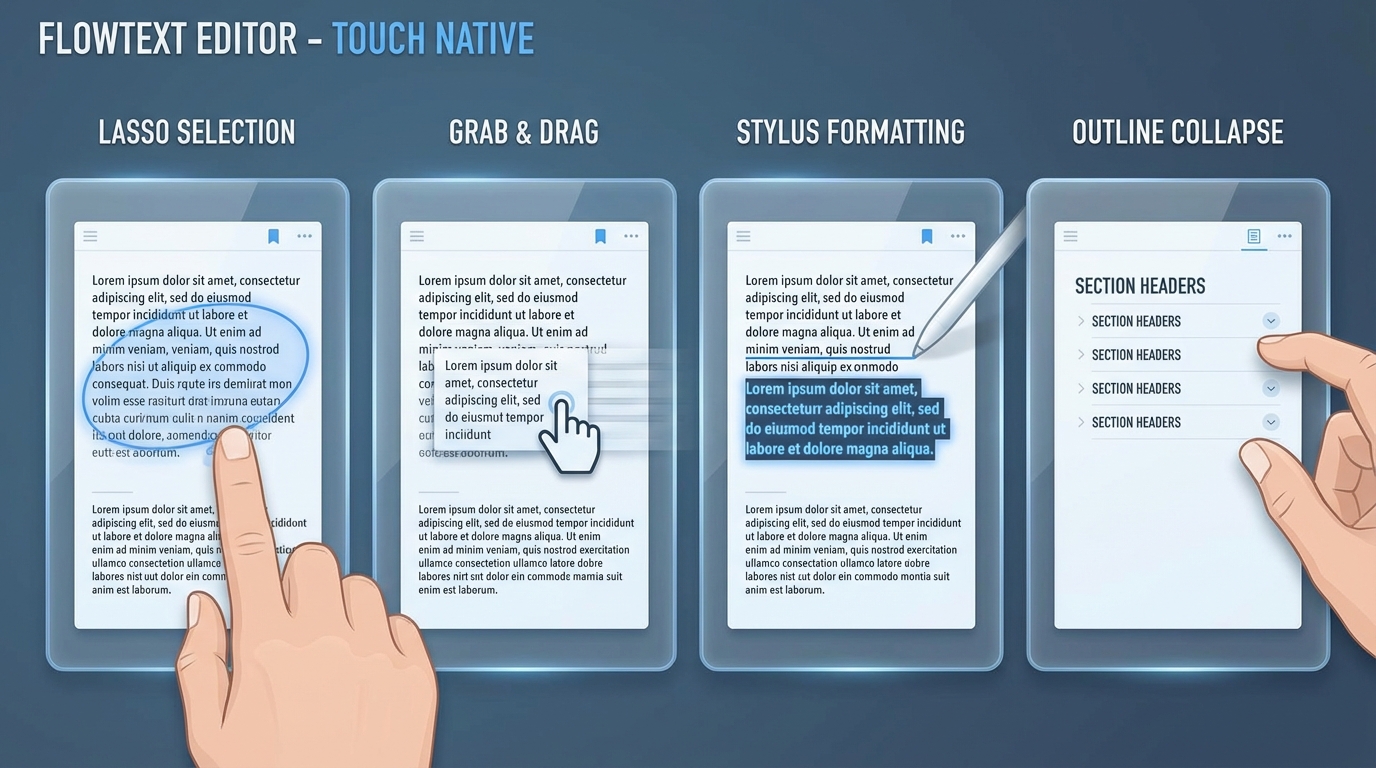
Today’s text editors on tablets are desktop apps with touch bolted on. You tap to place a cursor, drag to select, use toolbars for formatting. It works, but it’s not touch-native. Here’s what could be:
Selection becomes gestural. Instead of the fiddly tap-and-drag selection handles, you circle the text you want to select, literally draw around it. The system recognizes the lasso gesture and selects everything inside. For a sentence, you draw a quick loop. For a paragraph, a bigger one. For scattered selections (multiple cursors), you draw multiple circles.
Movement becomes physical. Selected text can be grabbed and thrown. Drag a paragraph to a new location; the document reflows around it. Flick it to send it to a scratch area at the edge of the screen. Pinch two paragraphs together to merge them. Pull them apart to split.
Formatting becomes annotation. Draw an underline beneath text to emphasize it. Strike through to delete. Draw a box around a quote to make it a blockquote. Circle a word and draw an arrow to the margin to create a comment. The pen becomes a markup tool, not just an input device.
Structure becomes spatial. Outline mode lets you grab section headers and drag them to reorder. Pinch a section to collapse it. Spread to expand. The document becomes a manipulable object, not a scroll of text.
Voice and handwriting integrate fluidly. Tap to place a cursor, then speak: the words flow in. Or switch to pen and write in the margins; handwriting converts to text and inserts at the cursor. The input modes blend rather than switching contexts.
The challenges are real. How do you make these gestures discoverable without a tutorial? How do you handle the precision problem (accidental gestures, fat-finger errors)? How do you support undo for spatial operations? How do you maintain compatibility with existing document formats?
These aren’t trivial problems. But they’re design problems, not technical impossibilities. And the primitives (gesture recognition, text layout engines, handwriting recognition) already exist. What’s missing is someone willing to assemble them into a coherent vision.
Tablets have been with us for over a decade. The tools to reimagine them are finally here. The barriers are no longer technical; they’re about imagination, incentives, and the patience to solve real problems for real users.
I’m writing this because I want to be one of those builders.
This blog is about innovation: how to recognize it, how to build it, and most importantly, how to bring it to people. We live surrounded by technology that could transform how we work and create, yet so much of its potential goes unrealized. There should be a way to bridge that gap, to take what’s possible and make it accessible. That’s what I want to explore here.
If you feel the same frustration, if you’ve ever thought “why can’t I just do this with my fingers?”, then maybe you’re a builder too. The tools are here. The path is clear. The only thing missing is us deciding to walk it.
Let’s build the devices we actually want to use.
Appendix: Technical Resources
For those who want to build, here are the tools that make touch innovation possible today.
HTML/JavaScript Touch Libraries
For prototyping and many production use cases:
- The Finger: Ultra-lightweight (~3.7 kB), 11 gestures out of the box
- Interact.js: Drag-and-drop, resizing, snapping, inertia
- ZingTouch: Standard + custom gesture definitions
- Westures: Handles dynamic touch point changes mid-gesture
Best for: Rapid prototyping, instant URL distribution, 0% commission
WebAssembly Frameworks
When you need performance:
- egui (Rust): Immediate-mode GUI, multitouch, cross-platform
- Dioxus (Rust): React-style components, hot-reloading, ~50KB builds
- Leptos (Rust): Fine-grained reactivity, minimal overhead
- Flutter Web WASM (Dart): Full UI framework, same codebase across platforms
Best for: Games, creative tools, compute-heavy apps
Native Frameworks
When you need full device access:
- SwiftUI: Apple’s declarative UI with gesture recognizers, Pencil support
- React Native: JavaScript/TypeScript with Gesture Handler library
- Flutter: Rich gesture detection, custom interactions
Best for: Premium experiences, Apple Pencil pressure/tilt/hover, haptics, ARKit, Core ML
Quick Comparison
| HTML/JS | WebAssembly | Native | |
|---|---|---|---|
| Iteration Speed | ⚡ Hours | 🔄 Days | 🐢 Weeks |
| Performance | Good | Near-native | Best |
| Touch APIs | Basic | Basic | Full |
| Distribution | URL | URL | App Store |
| Commission | 0% | 0% | 15-30% |
Appendix: Opportunities
Areas waiting to be reimagined for touch-native interaction:
| Domain | Current State | Touch-Native Vision |
|---|---|---|
| File exploration | Tap-based navigation, list views | Pinch to group, swipe to move, draw paths to connect related documents |
| Spreadsheets | Desktop grids with tiny cells | Drag to select, pinch to aggregate, draw formulas visually |
| Inbox lists, click to open | Triage by gesture, organize spatially, sketch quick responses | |
| Data visualization | Static charts, dropdown filters | Directly manipulate charts, draw to filter, zoom into data points |
| Mind mapping | Desktop apps with menus | Infinite canvas, finger-driven flow, no friction between thought and screen |
| Code editing | Text editors with keyboards | Structural editing, drag blocks, visual debugging |
| Music production | Desktop DAWs | Spatial arrangement, gestural mixing, touch-driven instruments |
| Medical imaging | Mouse-based DICOM viewers | Pinch/rotate 3D volumes, annotate with pen, gesture-based measurement |
References
Citations:
[1] Canalys. “Global tablet market share 2024.” Apple shipped ~57 million iPads in 2024, capturing approximately 38.6% of global tablet shipments. Gadgets 360
[2] Savage Interactive. Procreate was created by Savage Interactive, an independent software company based in Hobart, Tasmania, Australia. Savage Interactive
[3] Stephane Ginier. Nomad Sculpt is developed by Stephane Ginier as a solo project. Nomad Sculpt
[4] István Csanády founded Shapr3D in 2015 after becoming frustrated with traditional CAD interfaces while working as a mechanical engineer. Shapr3D About
[5] Excalidraw is an open-source virtual whiteboard for sketching hand-drawn like diagrams. Excalidraw
[6] Apple Developer. “Mini Apps Partner Program.” Apple Developer
[7] Swift.org. “Swift 6.2 Release Notes.” Swift 6.2 includes support for WebAssembly compilation. Swift.org
Apps mentioned:
- Procreate: Drawing & illustration
- GoodNotes 6: Note taking
- Nomad Sculpt: 3D Sculpting
- Shapr3D: CAD modeling
- LumaFusion: Video editing
- Procreate Dreams: Animation