The Medieval Scribe Video; An AI Pipeline Put to the Test
In a previous article, I explored how AI tools could theoretically transform 2D animation production. I mapped each phase of a real creator’s workflow (storyboarding, illustration, animation, audio, motion design) to existing AI tools that could replace the manual labor. The conclusion was optimistic but untested: the pipeline looked viable on paper.
That article ended with a challenge. Not to the reader, to myself. Could I actually build something with this pipeline? Could I take a topic, research it, write a script, generate images, animate them, add narration and subtitles, compose everything into a final video, and end up with something watchable?
The topic I chose was the daily life of a medieval scribe. A 12th-century Benedictine monk who copies manuscripts in a monastery scriptorium. It is historically specific enough to test whether AI can handle period-accurate visuals, and visually rich enough for nine distinct scenes: from the pre-dawn bell to nightfall.
This article is the result. Not just what I built, but what I learned about the actual shape of AI-assisted video production once theory meets reality. The full code of this experiment is in a public repository
The Research Challenge
The goal was concrete: produce a one-minute animated educational video using AI tools wherever possible, with a human (me) directing the process through an AI coding agent (Claude Opus) that orchestrates the tools via MCP integrations.
The constraint mattered. I was not looking for the fastest path or the prettiest result. I wanted to understand the workflow itself. Where does automation feel natural? Where does it break down? Where does the human need to step in, and what happens to the pipeline when they do?
The production followed ten steps, each feeding into the next. But the interesting story is not the sequence of steps. It is what those steps revealed about two fundamentally different modes of working with AI.
Phase 1: Inspiration
The first half of the project felt like a conversation with a creative partner.
Claude researched the daily routines of medieval scribes, drawing from academic sources on monastic life, scriptorium practices, and manuscript production. From that research, it synthesized a 150-word narration script broken into nine scenes. Each sentence had to carry visual weight, because at roughly 150 words per minute of narration, there is no room for filler.
From the script, nine rough storyboard frames were generated using AI image generation with simple prompts. Quick sketches to establish composition, lighting, and mood. These were combined with a first pass of audio into a storyboard video, just to preview timing and pacing before committing to final assets.
Then came character and environment design. Five reference assets were created using Google Imagen: a style reference establishing the visual tone (soft watercolor, muted earth tones), a character sheet for Brother Thomas (the main monk), and three environment references for the dormitory, chapel, and refectory. Each was generated using the style reference as input, and the character was designed to fit that same visual language.
This entire phase was exploratory. I described what I wanted, the agent called the image generator, I looked at the result, I refined the prompt, and we repeated. Generating twenty character variations to find the right look cost minutes, not hours. The feedback loop was fast enough to feel playful. The agent acted as a creative collaborator: I directed, it executed, I curated.
This is where the agent-plus-tools model works naturally. The tools are called interactively. The results are evaluated immediately. There is no need for reproducibility because you are still searching for the right direction.
Phase 2: Final Creation
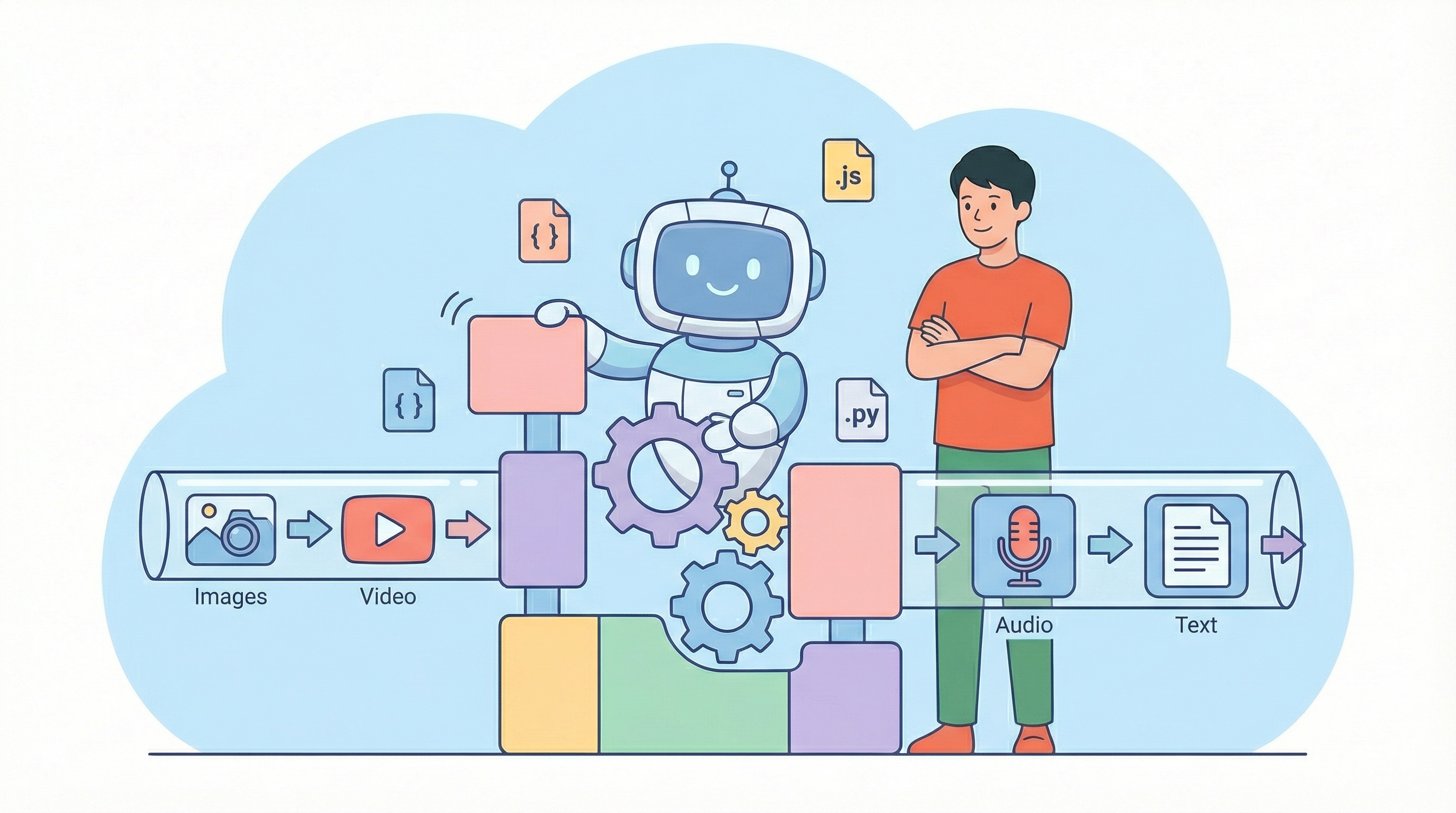
Once the creative direction was locked, everything changed.
The task became mechanical: generate nine images with specific prompts and references, generate nine videos from those images, extract word timestamps, render subtitles, compose everything together. The exploratory mode that worked for inspiration became a liability here. Calling tools one by one through conversation was slow, error-prone, and impossible to resume if something failed halfway through.
This is where the agent’s role shifted from creative partner to architect of automation.
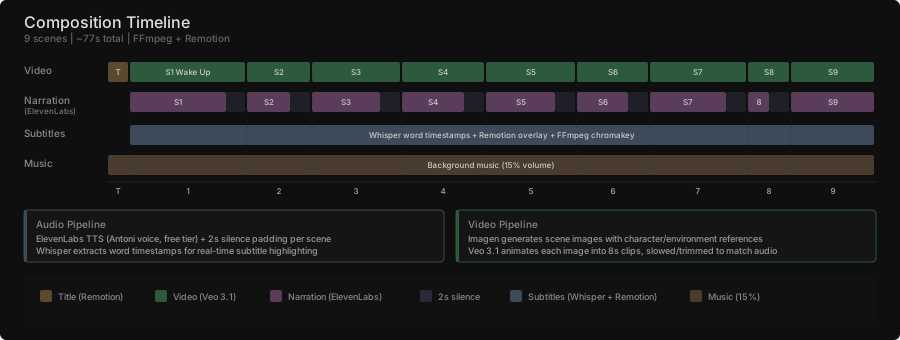
Instead of calling tools directly, the agent wrote Python scripts that encoded the entire production logic. One script loaded the prompts and reference images, called the Gemini API with multi-reference generation, and saved the outputs to the project folder. It could regenerate any individual scene or all scenes at once. Another script did the same for video animation through a video generator, taking each static image and animating it with conservative motion prompts (candlelight flickering, dust particles floating, a monk slowly rising) at 8 seconds per clip.
Narration was generated using ElevenLabs TTS with the Antoni voice. The free tier was used, which imposed the voice choice (no custom voice cloning available). Nine audio clips, one per scene, each containing one to two sentences. The voice is recognizable as synthetic if you listen closely, but it is clear and well-paced.
A title card was created using Remotion, a React-based video framework. The agent wrote a React component with a fade-in animation and medieval-style typography, then rendered it to MP4.
Word-by-word subtitles with real-time highlighting required a three-tool chain: OpenAI Whisper extracted word-level timestamps from the audio files, a Remotion component rendered the subtitles as a green-screen overlay (highlighting each word in pastel orange as it is spoken), and FFmpeg composited the overlay onto the video using chromakey.
Finally, a composition script handled the assembly. It analyzed each scene’s video and audio duration, extended videos that were shorter than their audio (by slowing playback or concatenating additional segments), added the title screen, overlaid subtitles, and mixed in background music at 15% volume.
The result: a 77-second video with narration, word-by-word subtitles, and background music.
The Two-Phase Insight
The distinction between these two phases is the most important lesson from this project.
During inspiration, you want a responsive assistant that can quickly try things. The agent calls tools directly, you evaluate, you iterate. Speed and flexibility matter more than reproducibility. This is brainstorming, and the agent’s value is in making exploration cheap.
During final creation, you want an architect that builds reliable automation. The agent that writes python generate_images.py --scene 5 is more valuable than the agent that generates the image directly. The script captures the intent, the references, and the parameters in a way that can be re-executed without the agent’s context. If a single scene’s video fails, you re-run that one scene. If you change the narration, you regenerate the audio and recompose. Scripts persist. Scripts have parameters. Scripts can be debugged.
This also defines what kind of agent behavior is most valuable at each stage. Inspiration relies on agent plus tools for easy, fast, interactive creation. Final creation relies on agent plus script generation, followed by execution, to keep track of what has been done and what remains.
The Toolchain
| Phase | Tool | Role |
|---|---|---|
| Research & Script | Claude Opus | Topic research, script writing, scene breakdown |
| Image Generation | Google Imagen (Gemini) | Character designs, environments, scene images |
| Video Animation | Google Veo 3.1 | Animate static images into 8-second clips |
| Narration | ElevenLabs TTS (free tier) | Text-to-speech, Antoni voice |
| Title Card | Remotion (React) | Animated title screen |
| Subtitles | OpenAI Whisper + Remotion | Word timestamps + green-screen overlay |
| Composition | FFmpeg | Audio sync, concatenation, chromakey, mixing |
| Orchestration | Claude Code (Agent + MCP) | Wrote all scripts, managed the pipeline |
What It Cost
This project was not free. Image and video generation through Google’s APIs (Imagen and Veo 3.1) made up the bulk of the expense. Generating approximately 14 design and scene images, plus 9 video animations at 8 seconds each, plus additional segments for scenes that needed extension, added up quickly. Video generation is the most expensive API call in the pipeline.
ElevenLabs narration was entirely free. The trade-off was accepting a preset voice rather than a custom one. For a proof of concept, this was acceptable.
Claude Opus handled the intellectual work: synthesizing research into a script, engineering every prompt, writing every automation script, composing the final video. Its token cost was modest compared to the media generation APIs.
Whisper transcription is based on open source SW running locally. FFmpeg and Remotion are free and open source.
Total cost: approximately 20 euros. Most of it went to media generation. The agent that orchestrated everything was the cheapest part of the stack, despite doing the most sophisticated work.
The Almost-Automated Pipeline
Here is the honest conclusion: this pipeline is almost fully automated. From research to final video, an agent with the right tools can orchestrate the entire production. The scripts it writes make each step reproducible. The MCP integrations let it call image generators, video animators, and audio tools without leaving the conversation.
But “almost” is doing heavy lifting in that sentence.
The real challenge is not automation. It is what happens when you want to insert manual steps into an automated workflow. What if you want to hand-paint a correction on one of the generated images? What if you want to record your own narration instead of using TTS? What if you want to manually adjust the timing of a specific scene?
The pipeline does not accommodate those interventions gracefully. It is designed as a linear flow: prompts in, assets out, composition script, final video. Introducing a human step in the middle means either breaking the automation or building escape hatches that the agent can work around.
This is the frontier. Not “can AI do the work?” (it mostly can) but “can humans and AI share the work without friction?” That is a harder problem, and it is where the next iteration of these tools needs to go.
The Video Generation Problem
Of all the steps in the pipeline, video generation is the one that most urgently needs rethinking. It is the most expensive, the least controllable, and the primary reason the final result feels like what people have started calling “AI slop.”
The problem is fundamental to the approach. You hand a static image to a model, write a short prompt (“monk slowly rises from mattress, candlelight flickers”), and get back 8 seconds of video. You have no control over the camera angle. You cannot direct the character’s performance. You cannot choose when a gesture happens or how weight shifts during a movement. The model decides all of that, and its decisions are mediocre. Movements feel floaty. Faces drift. Physics are approximate. The result looks generated, and trained eyes spot it immediately.
This lack of directorial control is not a minor inconvenience. It is the core reason AI-generated video feels cheap. Traditional animation gives the creator control over every frame. Even basic motion graphics in After Effects let you keyframe exactly what moves, when, and how. Image-to-video generation strips all of that away and replaces it with a prompt that the model interprets however it wants.
The cost compounds the problem. Each 8-second clip is an expensive API call, and because you cannot control the output precisely, you end up generating multiple attempts hoping for an acceptable result. The iteration loop is: generate, watch, dislike, re-prompt, generate again. That is slow and wasteful compared to an approach where you directly control the animation.
Better approaches exist, at least in principle. Character animation could be handled separately from scene composition: rig and animate the character with pose-to-motion tools, then composite that animation into a background scene, choosing the camera angle and timing yourself. Performance capture (even from simple webcam video) could drive character movement with human intent behind every gesture. These approaches trade the convenience of “one prompt, one video” for actual creative control. That trade-off is worth making.
Until video generation gives creators real control over camera, performance, timing, and composition, it will remain the weakest link in any AI-assisted pipeline. The rest of the stack (image generation, audio, subtitles, composition) has reached a quality threshold where the output is usable. Video has not. This is the part that most explains why AI-generated content is perceived as low quality, and it is where the most work remains.
The Missing Layer: Professional Editing Tools
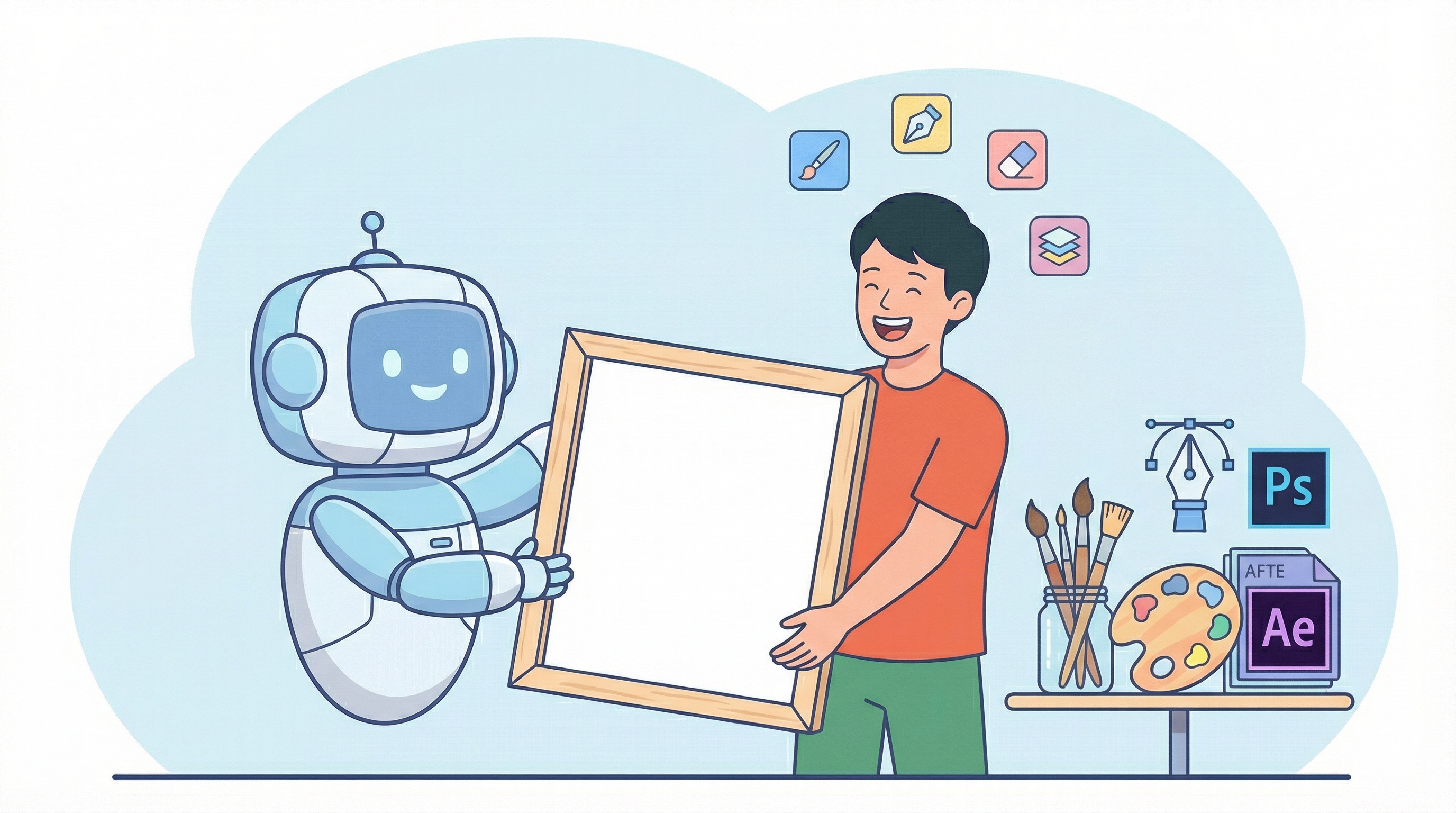
The pipeline I built treats AI generation as the final step. The agent generates an image, and that image goes into the video. It generates a video clip, and that clip goes into the composition. The output of AI is treated as finished product.
This is the wrong model.
The output of AI should be treated as a first draft that gets refined in professional editing tools. Instead of generating a final PNG, the pipeline should produce a layered PSD file that can be opened in Photoshop for touch-ups, color correction, and smart object annotation. Instead of generating a finished video clip, it should produce assets and motion data that can be imported into After Effects for proper motion graphics design, where you control keyframes, easing, and timing. Instead of assembling the final composition through a Python script that calls FFmpeg, it should output a Premiere Pro project where you can adjust cuts, transitions, and audio mix with a proper timeline interface.
The difference matters enormously. When you edit a composition script to change a scene’s timing, you are working blind. You adjust a number, re-run the script, watch the result, and decide if it is better. That feedback loop is minutes per iteration. In Premiere Pro, you drag an edit point with your mouse and see the result in real time. The same applies to every phase. Photoshop gives you content-aware fill, layer masks, and brush tools for fixing generated images. After Effects gives you graph editors, motion blur, and expressions for refining animation. Illustrator gives you vector editing for character designs that need to be clean and scalable.
The real value of AI-assisted creation is not in replacing these tools. It is in feeding them. AI generates the raw material quickly and cheaply. Professional tools give the human creator the fine-grained control to make that material good. The pipeline should connect the two: AI generates drafts, professional tools refine them, and the boundary between the two is seamless.
This is where the workflow needs to go. Not deeper automation, but better integration with the tools creators already know and rely on.
Lessons Learned
Scripts over interactions. For repeatable production work, having the agent write Python scripts is more valuable than having it call tools directly.
Reference images are everything. Character and environment consistency depends entirely on feeding the right references into every generation call. Without them, visual drift is immediate and severe.
Cost is manageable but not trivial. Twenty euros for a one-minute video is cheap compared to traditional production, but it adds up with iteration. Most of the cost sits in media generation APIs, not in the AI orchestration.
The agent is the assistant director, not the director. Claude handled research, prompt engineering, script writing, and pipeline orchestration. But the human remained the director throughout. Every creative decision (visual style, character design, scene composition, pacing) required human judgment. On a first pass, the human role looks like validation and approval. But that undersells it. The agent cannot know whether a generated image feels right for the story, whether the narration pacing matches the emotional beat, whether a scene composition draws the eye where it should go. The workflow needs to evolve so the human can infuse more into the process, not less.
This is the practical follow-up to Can AI Streamline 2D Character Animation?.